# Filtering
You can filter the list by writing in the columns where the filter sign appears:
[](https://docs.profuzdigital.com/uploads/images/gallery/2024-11/O1mimage.png)
This is valid for all the lists with results.
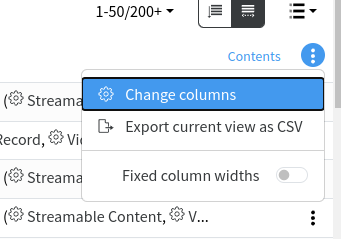
You can also change the columns which you want to see in the list by selecting the preferred ones. You can do that by selecting **Change Columns** from the table menu:
[](https://docs.profuzdigital.com/uploads/images/gallery/2024-11/4Y8image.png)
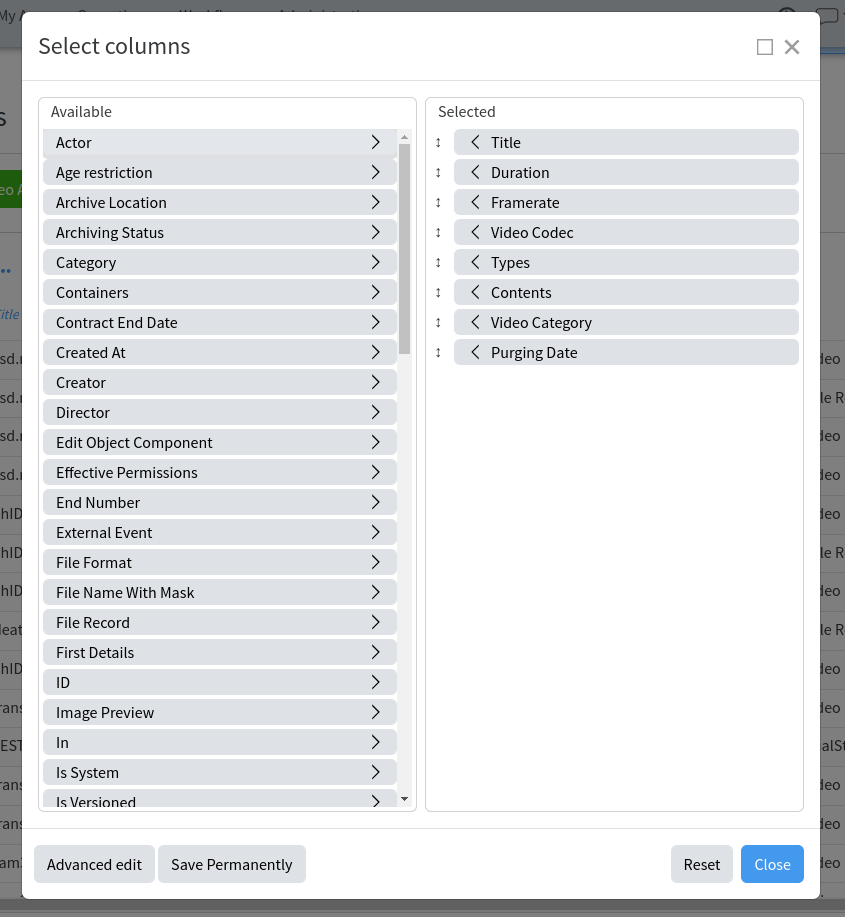
For example, here in the finished transfers list the following columns are available for selection:
[](https://docs.profuzdigital.com/uploads/images/gallery/2024-11/jXeimage.png)
You can also rearrange the columns order by dragging the columns headers in the chosen order.