# Enumerators
## Creating Enumerator
Automatic numbering of financial objects can be defined. Creating a rule and a format of numbering, can be done in the following way.
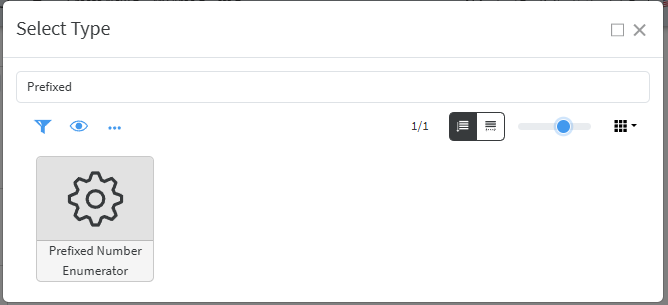
Create New/Other then find **Prefixed Number Enumerator** type
[](https://docs.profuzdigital.com/uploads/images/gallery/2025-03/O5Yimage.png)
[](https://docs.profuzdigital.com/uploads/images/gallery/2025-03/mm0image.png)
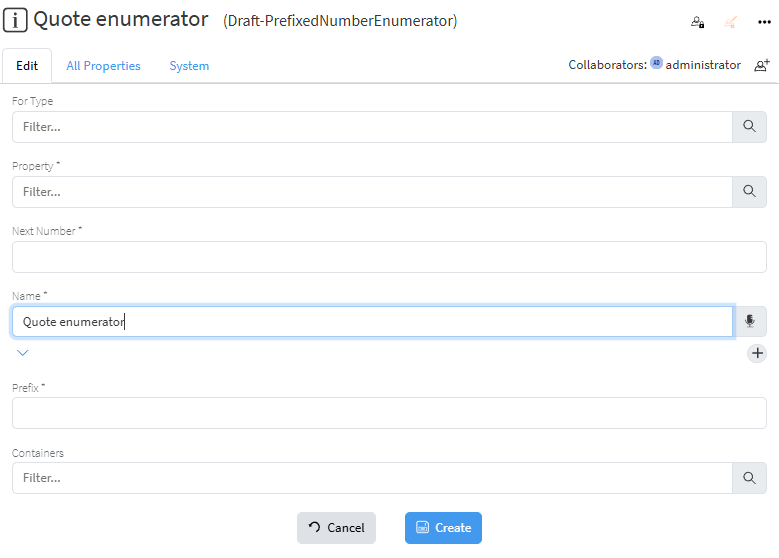
The type for which this enumerator is to be used. Let’s for example create enumerator for type **Sales Quote**.
*For type* should be defined as **Sales Quote**
*Property* is set to *Quote #* (Symbol)
*Next number* is the number from which the numbering will start
*Name* is the name of the enumerator
*Prefix* is the text used as prefix.
Once created, the enumerator will appear in the objects of type **Sales Quote** in the property *Enumerator*, when in Edit mode.