# Document Templates
## Creating Template
Template is the file to be used as a template in .docx format and has to be added in the system.
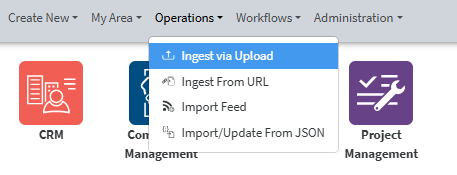
The file is added via Operations – Ingest via Upload
[](https://docs.profuzdigital.com/uploads/images/gallery/2025-02/8aqimage.png)
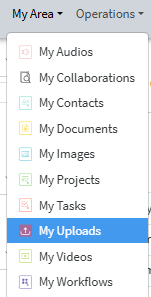
The file uploaded will then appear in My area/ My uploads section if the upload is done by you,
[](https://docs.profuzdigital.com/uploads/images/gallery/2025-02/fSZimage.png)
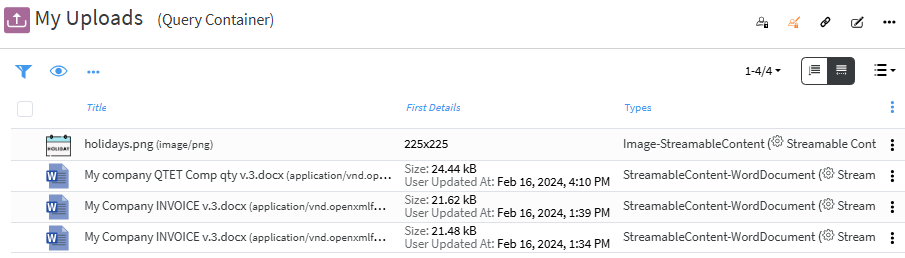
or has to be found in the system, if previously uploaded by someone else.
[](https://docs.profuzdigital.com/uploads/images/gallery/2025-02/kpBimage.png)
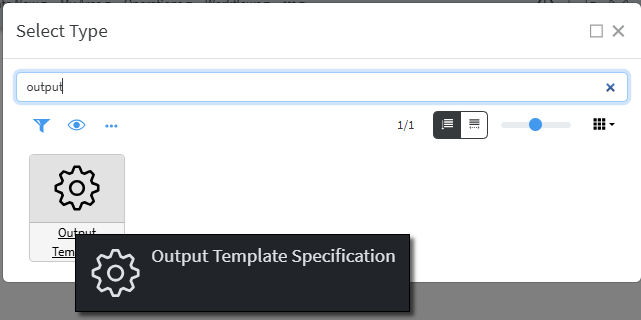
Output Template can be created by **Create New** – **Other** – **Output Template Specification** (it will appear if you start typing "output")
[](https://docs.profuzdigital.com/uploads/images/gallery/2025-02/zwhimage.png)
You need to set a Name and Specify the type to which that Template will be used.
[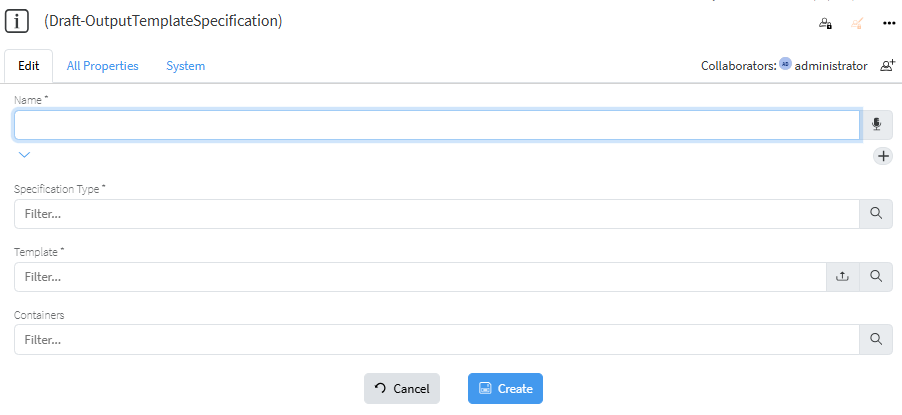](https://docs.profuzdigital.com/uploads/images/gallery/2025-02/e4ximage.png)
The Type has to be specified and can be easily found by typing at least one of the words in its name.
[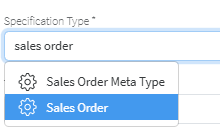](https://docs.profuzdigital.com/uploads/images/gallery/2025-02/yw5image.png)
The file to be used is selected
[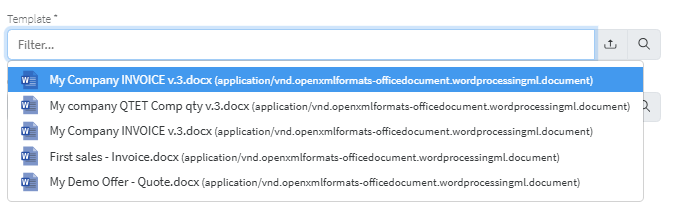](https://docs.profuzdigital.com/uploads/images/gallery/2025-02/ByJimage.png)
If .docx file to be used as template is not previously uploaded in the system, that can be done directly from this step by pressing on the [ ](https://docs.profuzdigital.com/uploads/images/gallery/2025-02/UNwimage.png) which will open file manager to choose file from your computer to upload (ingest).
The process is finished by pressing Create button and the object is created.
[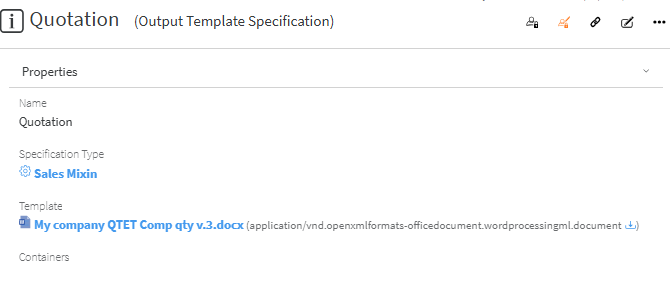](https://docs.profuzdigital.com/uploads/images/gallery/2025-02/51eimage.png)