# Create and manipulate File Records (virtual contents)
You can create a File Record from a video file by using the Create File Record operation from the video file’s local actions menu as shown:
[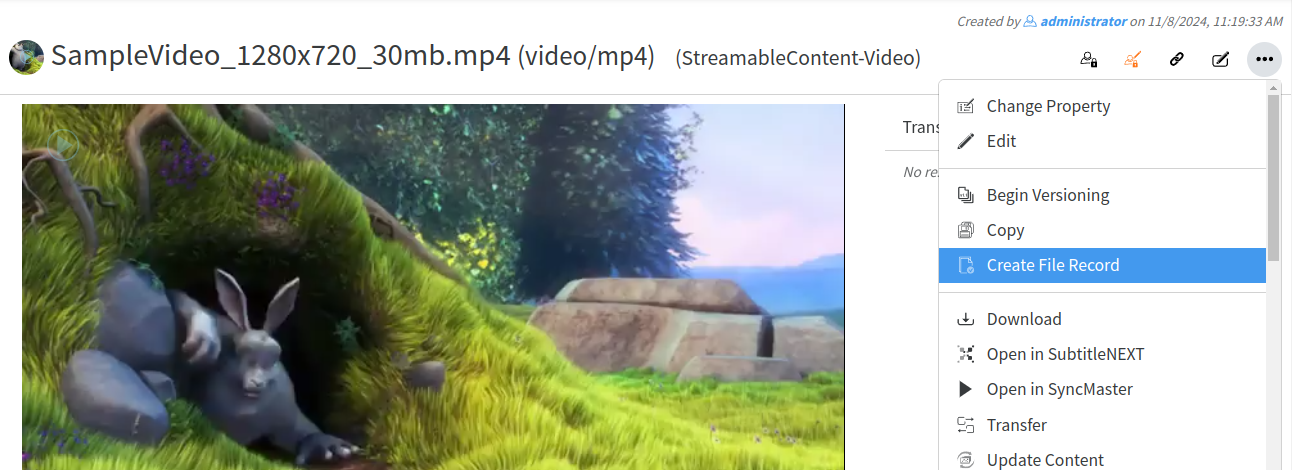](https://docs.profuzdigital.com/uploads/images/gallery/2024-11/V1Wimage.png)
The File Record looks like this:
[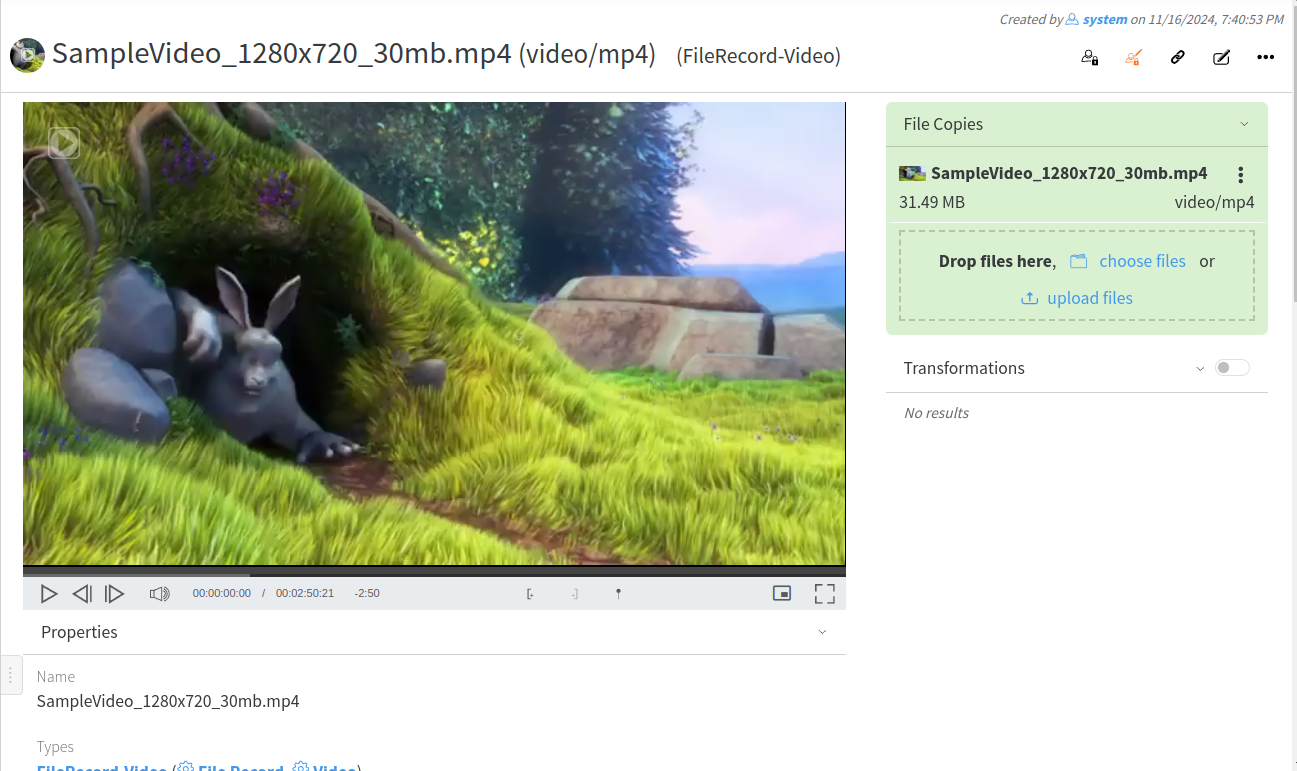](https://docs.profuzdigital.com/uploads/images/gallery/2024-11/Zacimage.png)
In File Copies you see the identical copies of this file. You can manipulate them separately from the local actions menu of every single file copy.
In Contents you see the files. You can also manipulate them separately from their local actions menu (transcode, archive, download, delete them).
In Transformations you see all the thumbnails, previews and conversions which have also their own local actions menu and can be manipulated separately.
You can add a video to the File Record by copying or transferring any of its existing contents:
[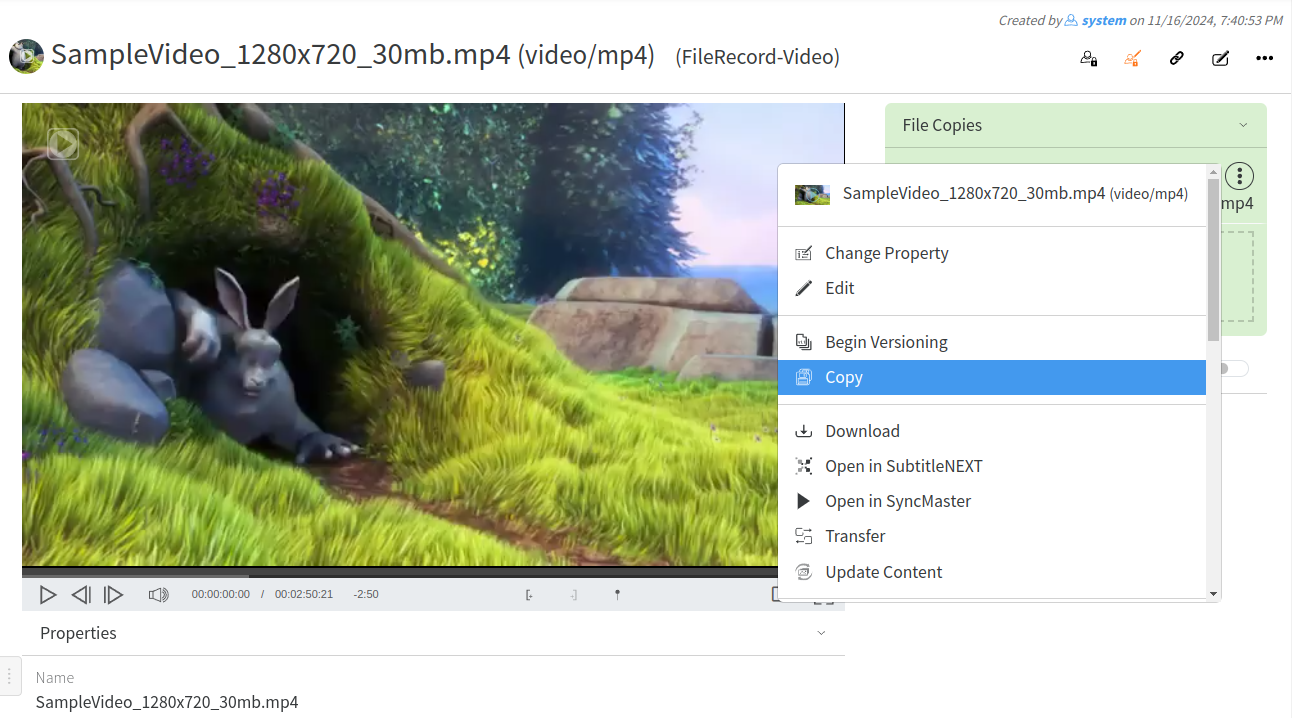](https://docs.profuzdigital.com/uploads/images/gallery/2024-11/W2gimage.png)
which results in showing both copies in the File Record:
[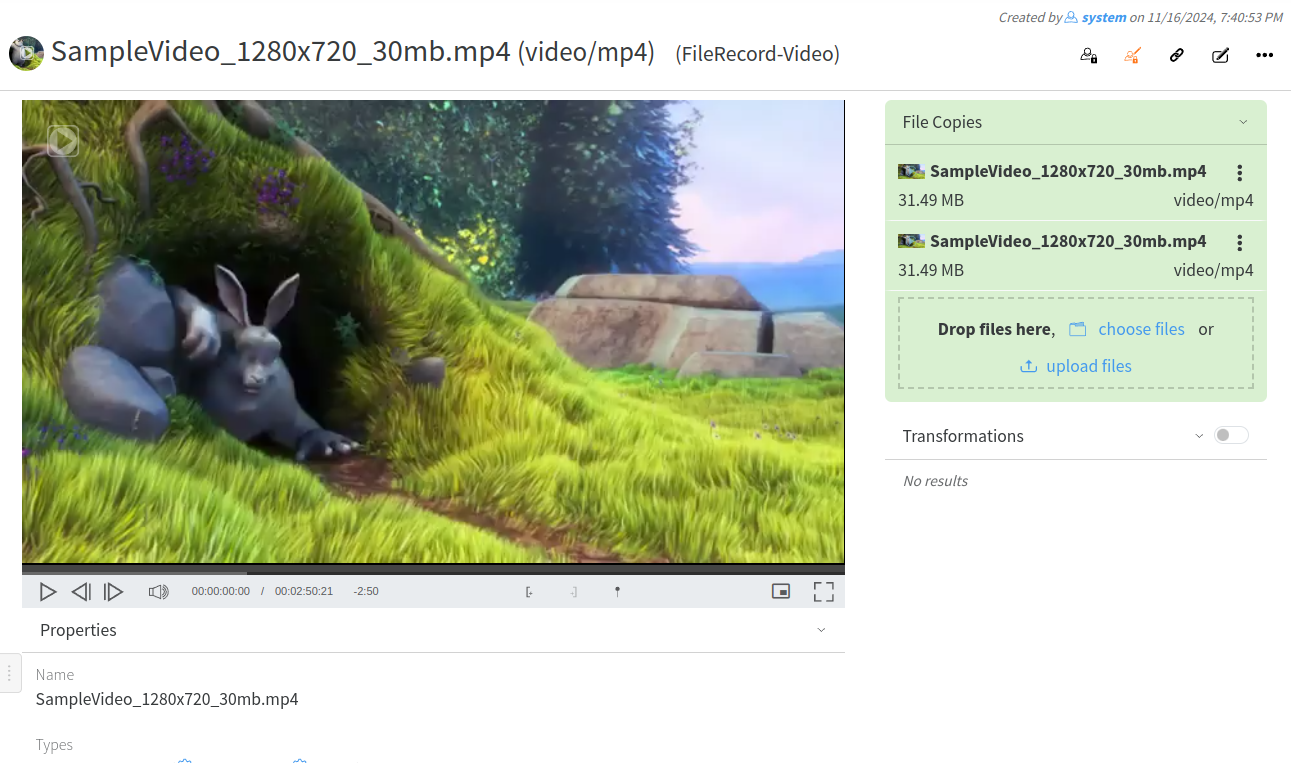](https://docs.profuzdigital.com/uploads/images/gallery/2024-11/vDoimage.png)
You can remove a video from a File Record by deleting it:
[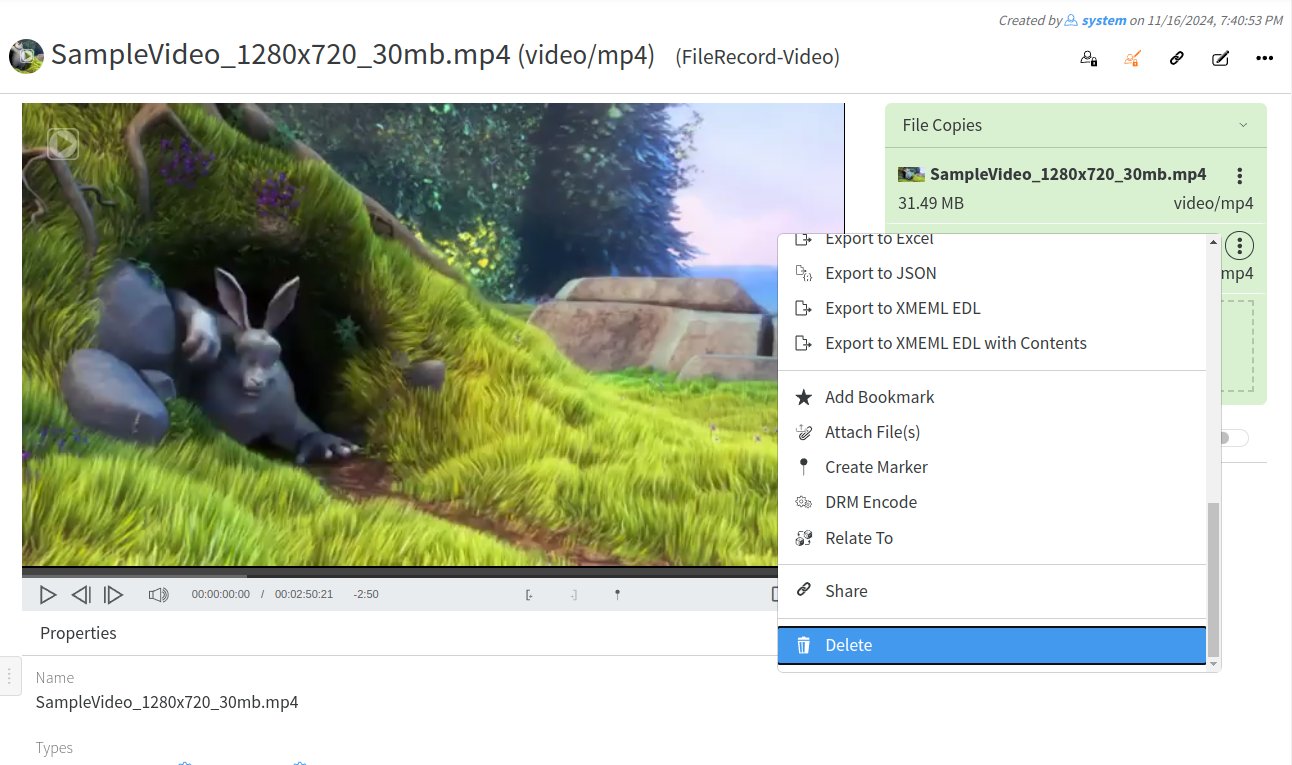](https://docs.profuzdigital.com/uploads/images/gallery/2024-11/xSuimage.png)
If all copies are deleted the File Record is transformed to Non Streamable File Record, i.e. File Record with only metadata and proxy of the video:
[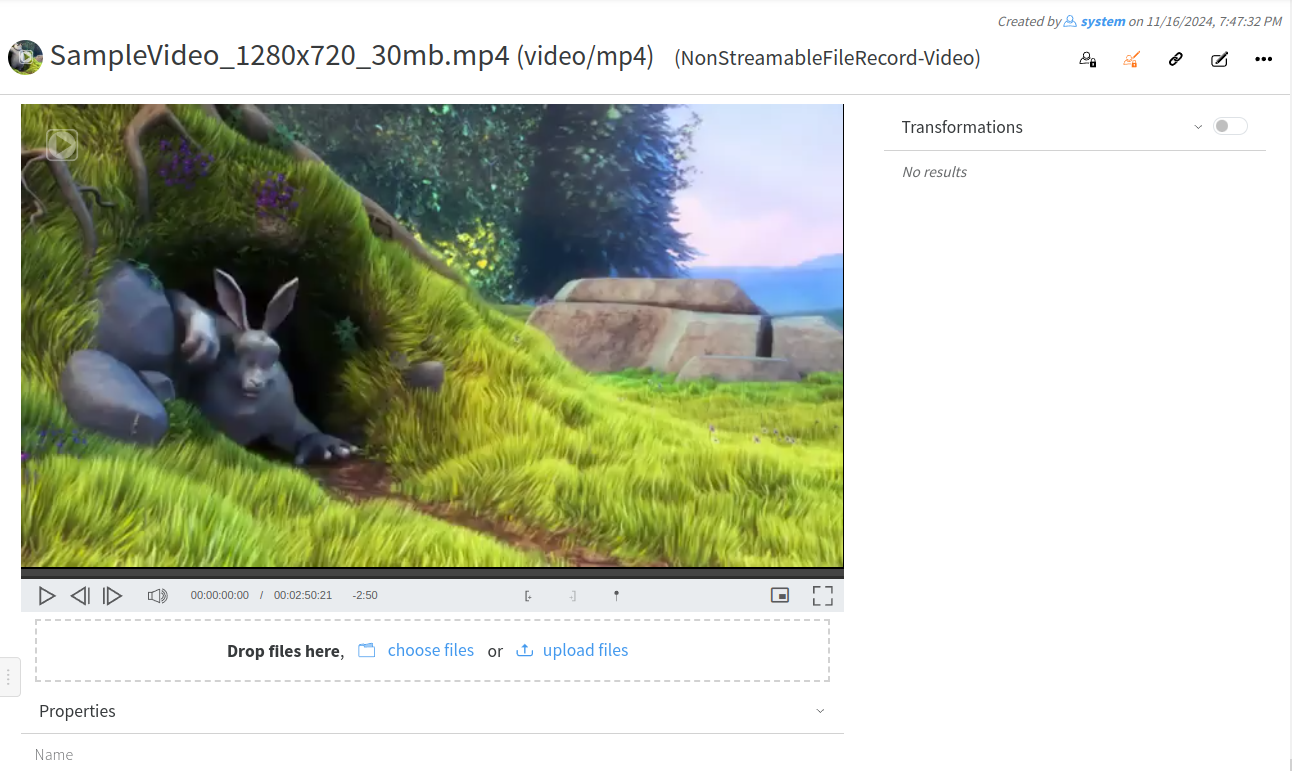](https://docs.profuzdigital.com/uploads/images/gallery/2024-11/y49image.png)