**Note**: Please, have in mind Relationship Roles will appear, once the Contact Type is set to External, and Safe Draft button at the bottom of the screen is pressed.
[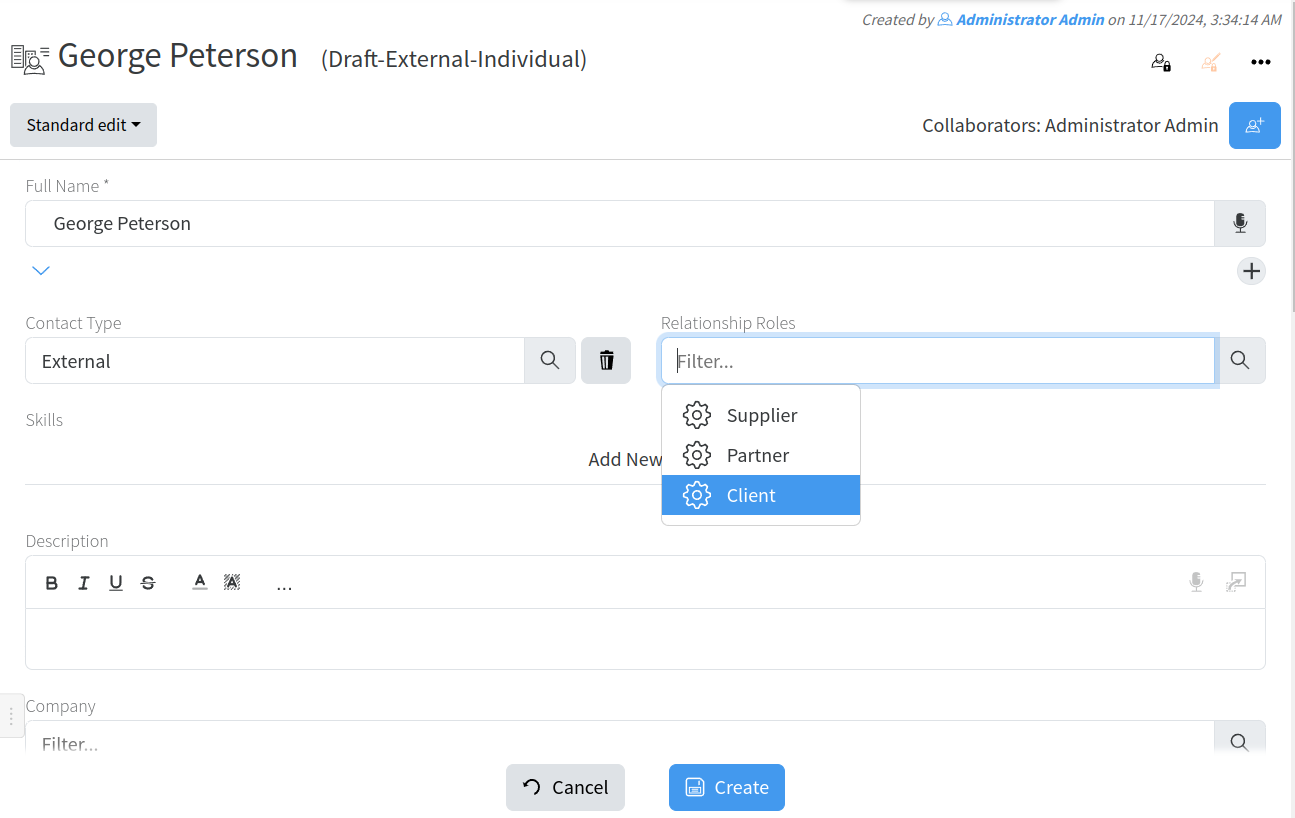](https://docs.profuzdigital.com/uploads/images/gallery/2024-11/cXLimage.png) If Client is selected and Safe Draft pressed after that, then Sales Status can be defined: [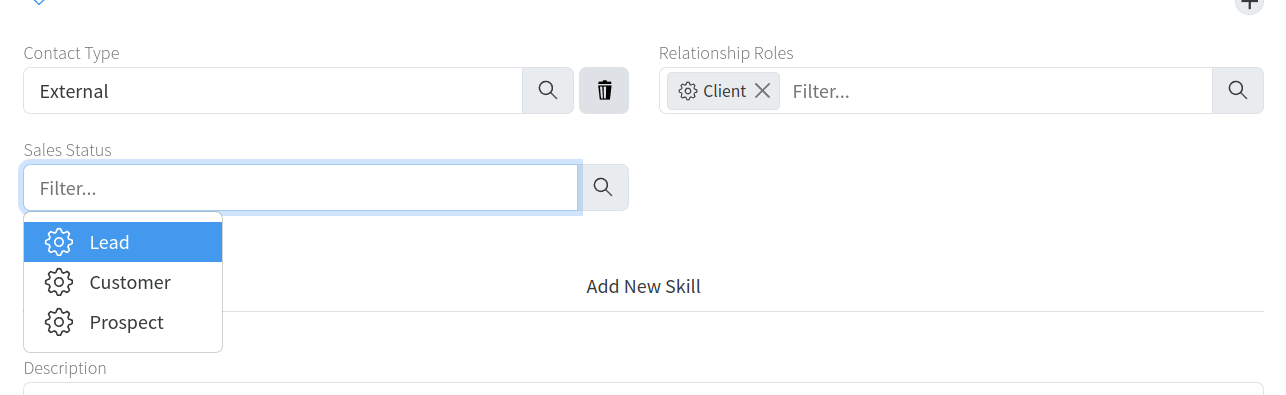](https://docs.profuzdigital.com/uploads/images/gallery/2024-11/LGximage.png) Sales status can be used to choose marketing activities By pressing Create the Individual is created. [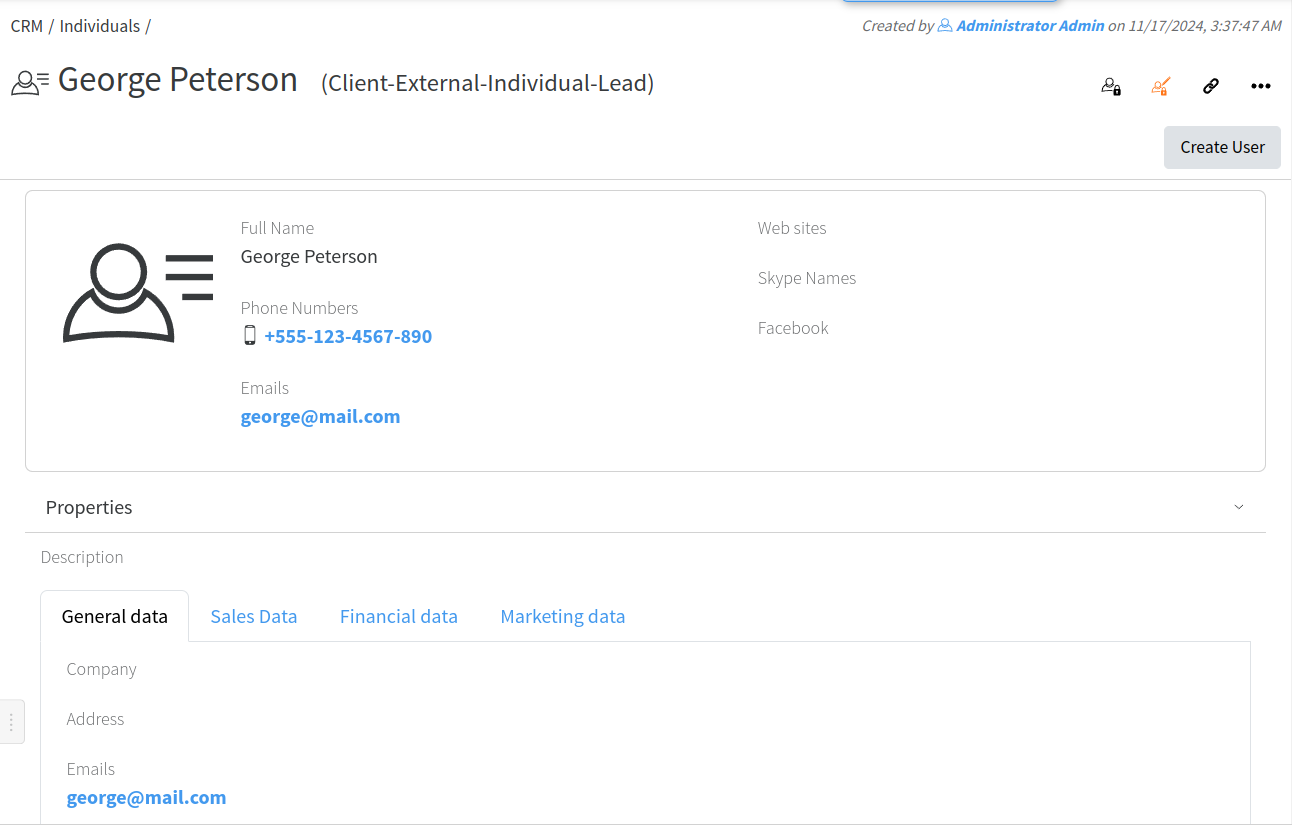](https://docs.profuzdigital.com/uploads/images/gallery/2024-11/eKvimage.png) ## Creating a Company Creating new company can be done by Create New – Contact and Selecting type Company [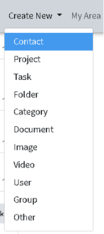](https://docs.profuzdigital.com/uploads/images/gallery/2024-11/Hqcimage.png) [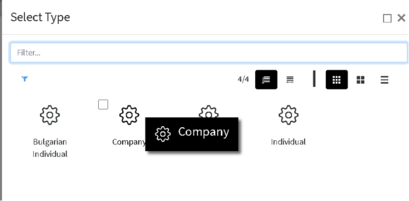](https://docs.profuzdigital.com/uploads/images/gallery/2024-11/cHaimage.png) Once Company is selected, the new window will Appear with details to be added, as only Full name is mandatory. [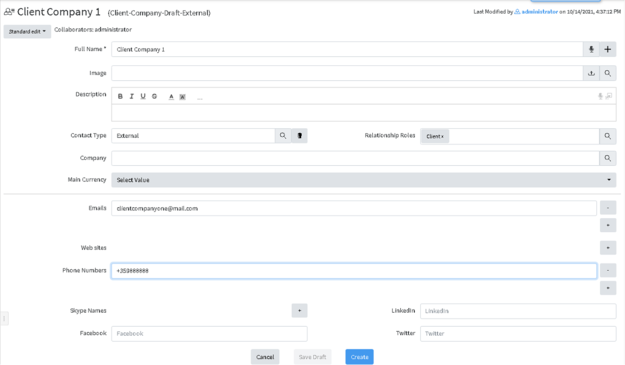](https://docs.profuzdigital.com/uploads/images/gallery/2024-11/oNAimage.png) Contact Type shows if the company is Affiliate, which can be the Home company (the one that is the owner of the system or its affiliate) or External, which is then defined further by Relationship Role - Client, Supplier, Partner or a combination of those.**Note**: Please, have in mind Relationship Roles will appear, once the Contact Type is set to External, and Safe Draft button at the bottom of the screen is pressed.
[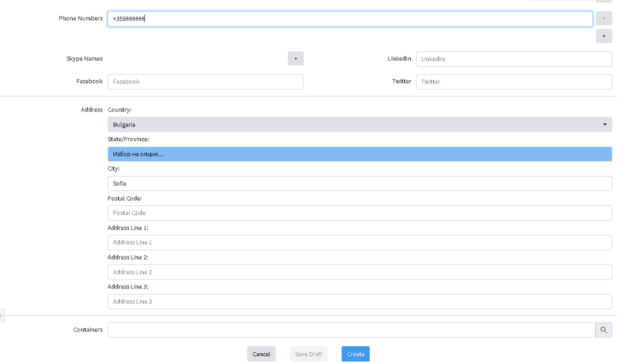](https://docs.profuzdigital.com/uploads/images/gallery/2024-11/Xo1image.png) With Create the process is finishes and object is created. [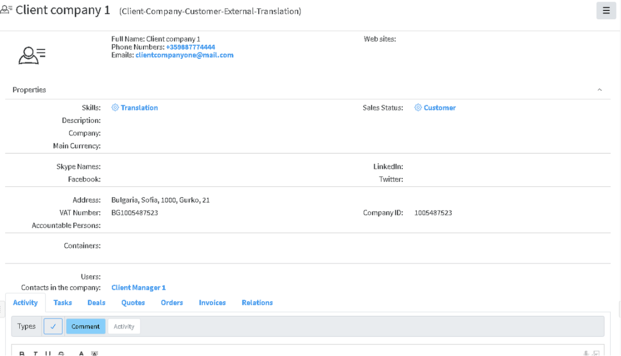](https://docs.profuzdigital.com/uploads/images/gallery/2024-11/8sZimage.png) Adding other properties such as VAT number, company ID, Accountable Person etc can be done in Actions – Edit and if not visible in the Standard Edit mode, chose Advanced Edit Mode. [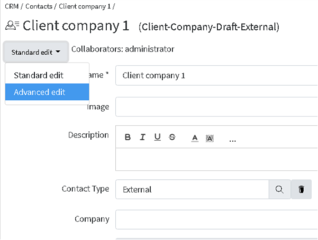](https://docs.profuzdigital.com/uploads/images/gallery/2024-11/d1bimage.png) Managing Marketing Activities As seen on the above sections, there are multiple parameters you can associate with the contacts. A part from the widely used and standard ones like Name, email(s), phone(s), address(es), social media accounts (Twitter, Facebook, LinkedIn, Skype, etc.), you can also set Company Positions, Departments, Hierarchical Managers and Skills (those are specific skill sets used in company specific business niche and required from internal and external human resources. In the contacts, you can also input data which to be used for the sales, marketing and financial operations with this contact. Such properties are: - Sales parameters: - Relationship role – client, partner, supplier - If the contact is with a client relationship role, then you can set its sales status – lead, prospect, customer This way you can differentiate between marketing leads, potential clients (prospects) and existing clients (customers). - For marketing purposes and to comply with the GDPR and other data protection regulations you can track the e-mail marketing activities for which your clients have subscribed/unsubscribed. The default activities are: - Newsletters - Promotions - Product Announcements - Email Marketing Marketing activities for each contact can be set or edit via Actions - Edit (Advanced Edit Mode) under Marketing Activities property [](https://docs.profuzdigital.com/uploads/images/gallery/2024-11/fVDimage.png) Adding new activities can be done by pressing Add New Marketing Activity and selecting options [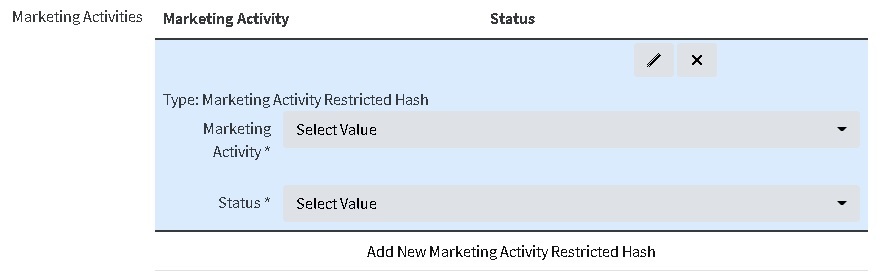](https://docs.profuzdigital.com/uploads/images/gallery/2024-11/dT6image.png) [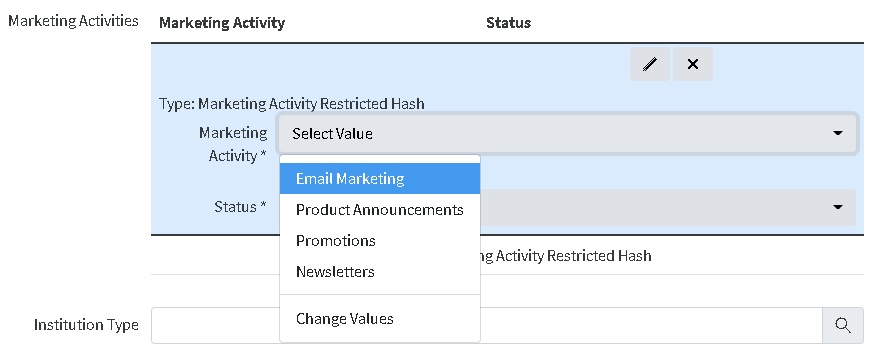](https://docs.profuzdigital.com/uploads/images/gallery/2024-11/RVjimage.png) When finished press Safe. It will appear in the contact info as follows: [](https://docs.profuzdigital.com/uploads/images/gallery/2024-11/uOBimage.png)