# Containers and Searches
# Containers and Searches
## Containers
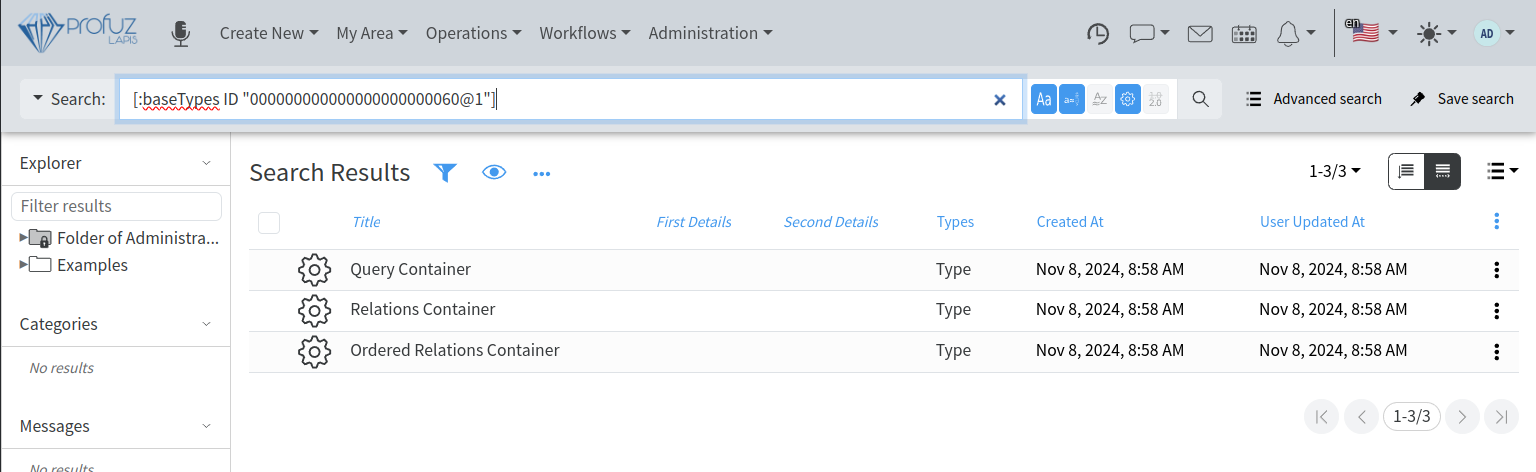
**Container in Profuz LAPIS** is a Base Type used to describe Objects which virtually contain other Objects. To view all types of containers directly deriving from Container Base Type, search for the following: \[:baseTypes ID "000000000000000000000060@1"\] The default Profuz LAPIS installation comes with the following types of Containers: Relations Container, Ordered Relations Container, and Query Container.
[](https://docs.profuzdigital.com/uploads/images/gallery/2024-11/hKBimage.png)
**Relations Container** and **Ordered Relations Container** keep links between Containers of those two types and other Objects of the system. The difference between them is that in Ordered Relations Container, the links are ordered. For example, Folder is a Relation Container and Dashboard is Ordered Relations Container.
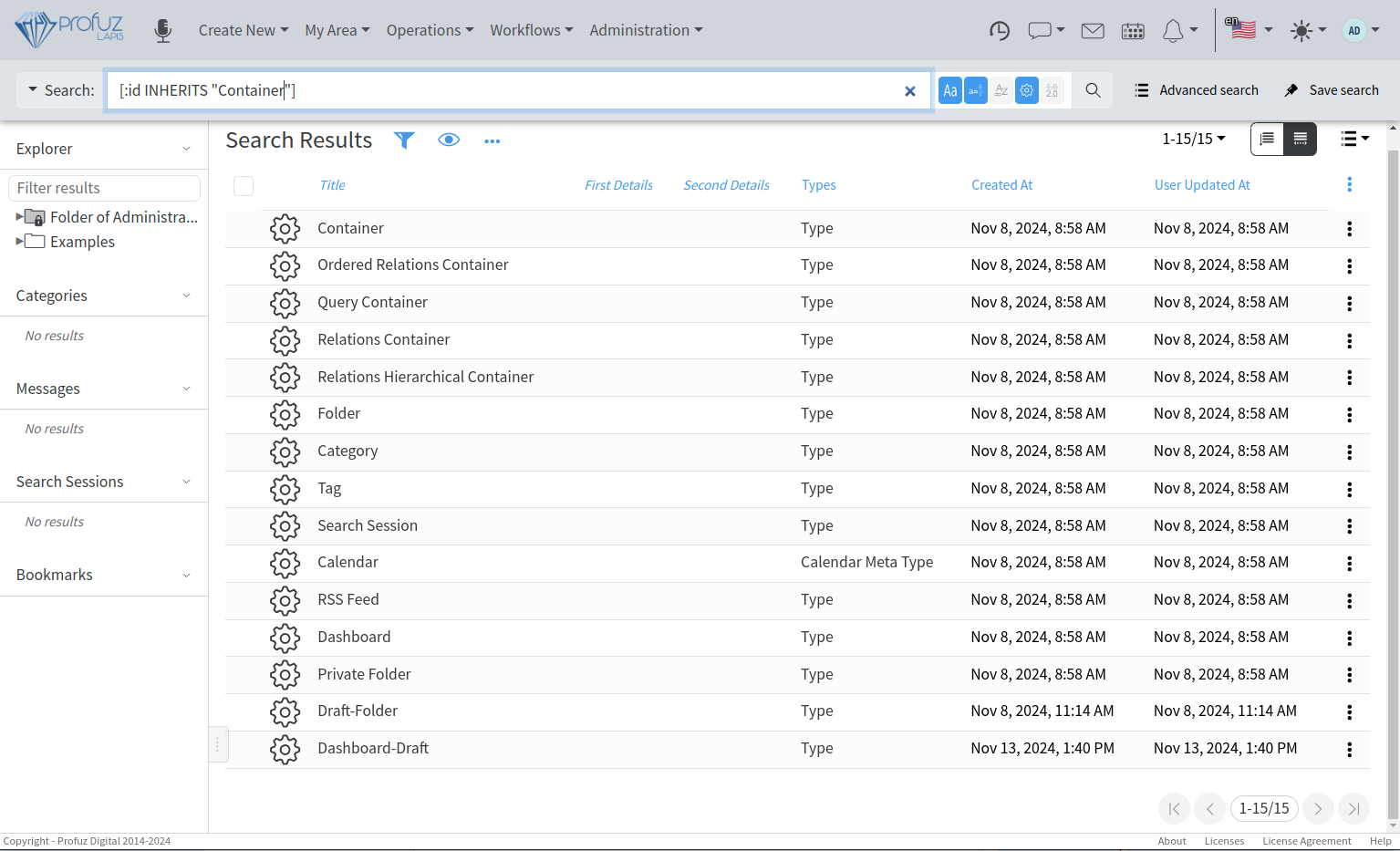
**Query Container** is a Container which links Objects based on a user-defined query. For example- list of objects of Type Task. As seen in the above examples and shown on the search below, there are some system default Containers - Folder, Category, Tag, Dashboard, Calendar, Search Session etc.
[](https://docs.profuzdigital.com/uploads/images/gallery/2024-11/2otimage.png)
They all derive from the base type Container. It is interesting to clarify the Relations Hierarchical Container and what it is used for. As its name shows, The Relations Hierarchical Container is used to create hierarchical structures, such as Folder and Subfolders, Categories and Subcategories, etc. These structures allow the definition of a “path” which shows all the steps through which a certain container is reached. The path is important, because it is used to inherit the permissions of the previous in the chain Container. This is a quick and easy way to provide permissions to a Folder, Category or other Container.
One Object can be linked to one or multiple Containers from a single or a variety of Types. For example, if you create an Object “Document 1”, you can link it to Folder 1, Folder 2, Category 1, Subcategory 2, etc.
## Searches
Profuz LAPIS has an intelligent search mechanism which gives the possibility to search in parallel in Profuz LAPIS internal database and all connected external systems.
Profuz LAPIS search is **Live** **Search** with real time results updates in contrast with static results approach used in other systems to return the search results in the moment of search execution. The Live Search always shows the search results corresponding to the current data, making it Live.
The search forms can be different. The simplest one is a **free text search** (FTS). The FTS searches in all Objects, Properties and Contents based on a textual representation of the data.
**Advanced Searches** are also supported and are used to narrow down the search criteria. The UI for advanced search allows to choose from a drop-down list of possible search criteria and their combinations, but in order to look for more specific properties and combinations, we allow the manual usage of the following syntaxes:
To search based on a Property:
\[:ProperyName OptionalComparisonOperator SearchOperand\]
PropertyName is the name of the property as defined in the system.
OptionalComparisonOperator is the comparison operation applying to the Search Operand. If missing, it means “=”, else it can be >, <,>=, etc
SearchOperand is the value to compare with and is surrounded by quotation marks.
In the following example
\[:createdAt < 2021-04-15\]
It searches all objects created before 15th of April 2021.
Another example is:
\[:status "Done"\]
and it finds all objects with property “status” and a value “DONE”
To exclude results from a comparison, you can use NOT in front of the parenthesis.
In the example
NOT \[:status "Done"\]
the results will list all of the object which have a property “status” and their value is not “DONE”.
You can combine searches on multiple queries using AND, OR and parenthesis () to group.
Here is one example where you can combine criteria and is used to search for TASKS with a STATUS different than DONE:
\[:types INHERITS "Task"\] AND (NOT \[:status "Done"\])
A search query can be saved as a **Search Session.**
**Search Sessions** are active searches which give notifications for changes in the search results. They can be used to monitor updates of the data. When a constant update on some data change is needed to be monitored, the user can save the search session for better visibility and quicker access.
The search queries can also be used in the Query Containers described here above.
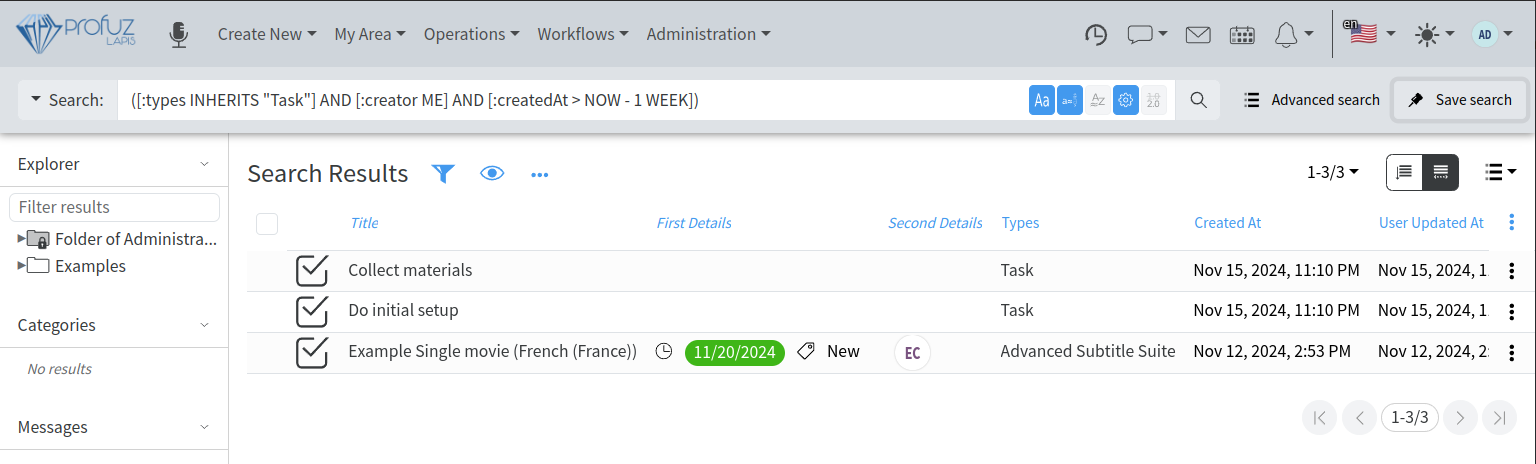
The following example shows how to create a Query Container which will be shown in My Area and will list all tasks created by the current user last week. The following search query is used: `([:types INHERITS "Task"] AND [:creator ME] AND [:createdAt > NOW - 1 WEEK])`:
[](https://docs.profuzdigital.com/uploads/images/gallery/2024-11/NJuimage.png)
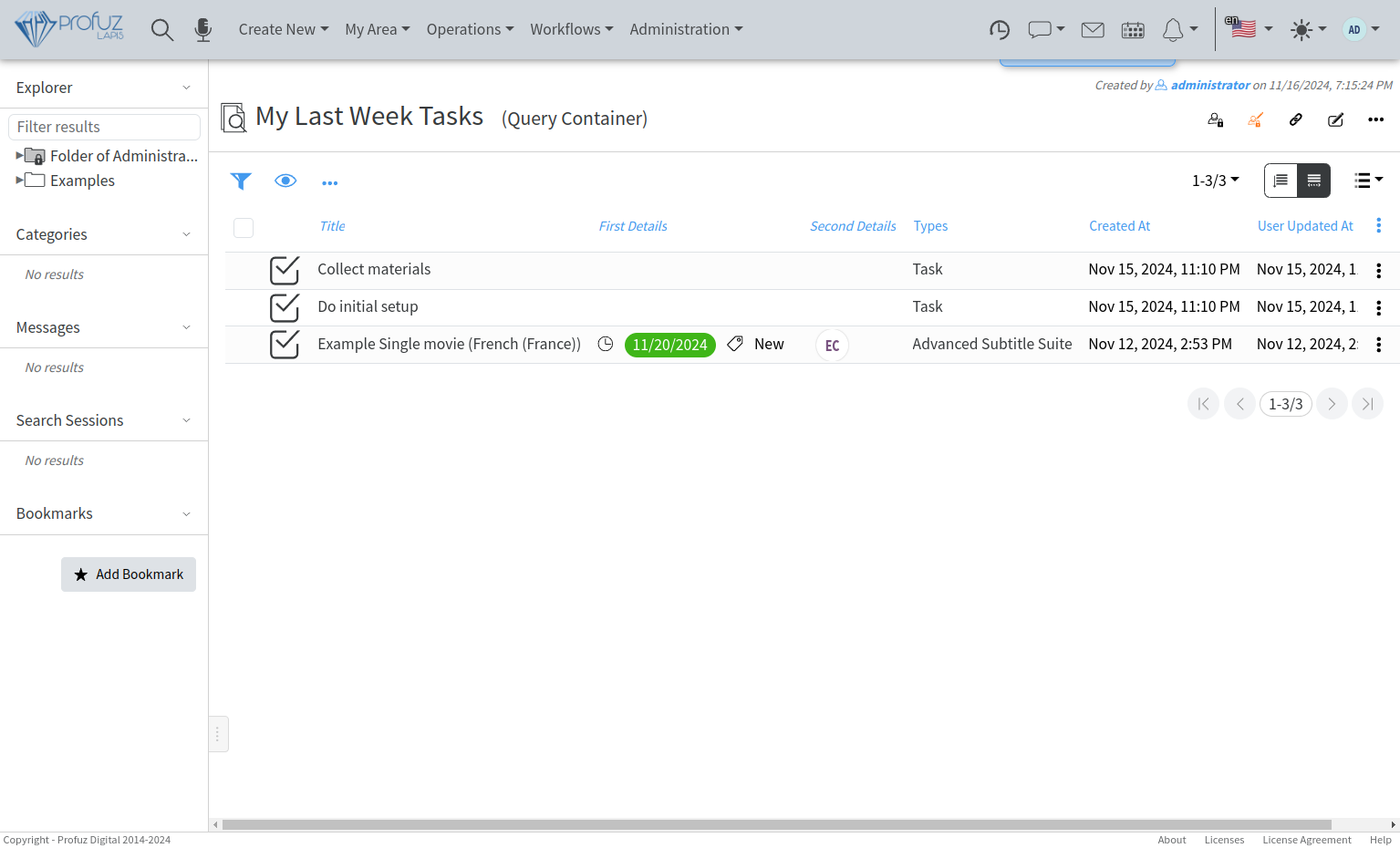
press **Save Search**, select **Query Container** and name it "*My Last Week Tasks*":
[](https://docs.profuzdigital.com/uploads/images/gallery/2024-11/RICimage.png)
You can Edit the so created query container and add **My Area** container to its **Containers** property:
[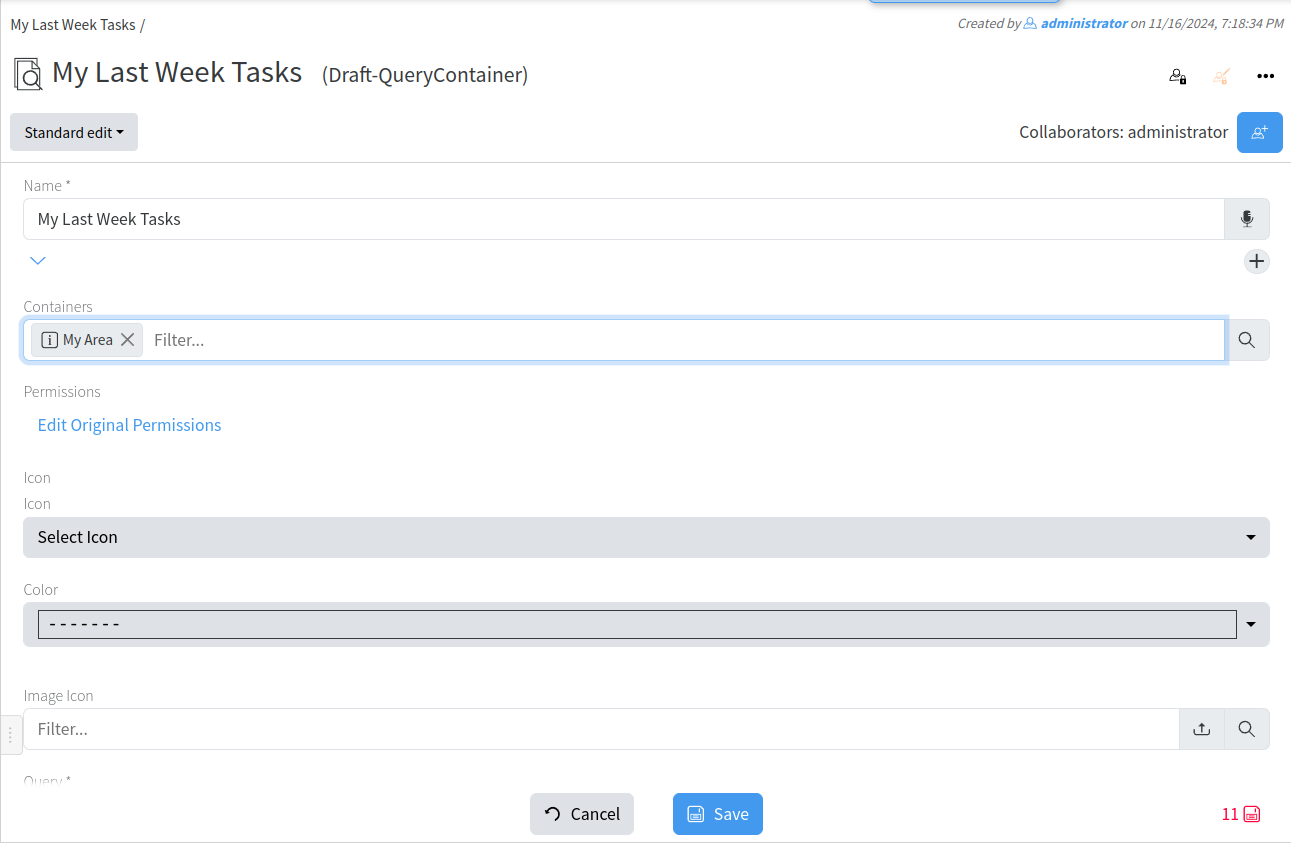](https://docs.profuzdigital.com/uploads/images/gallery/2024-11/BECimage.png)
After creating, it can be found in My Area Container
[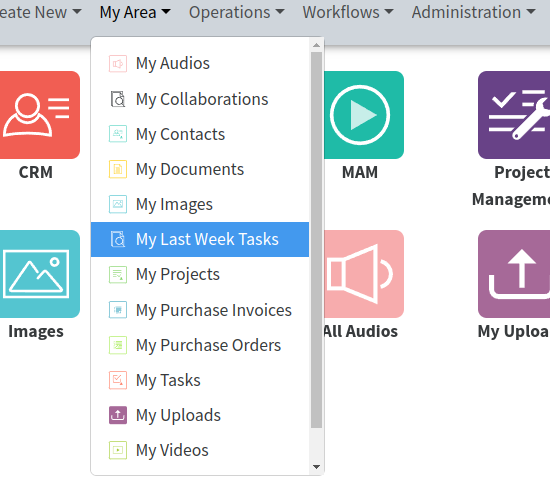](https://docs.profuzdigital.com/uploads/images/gallery/2024-11/J0Jimage.png)